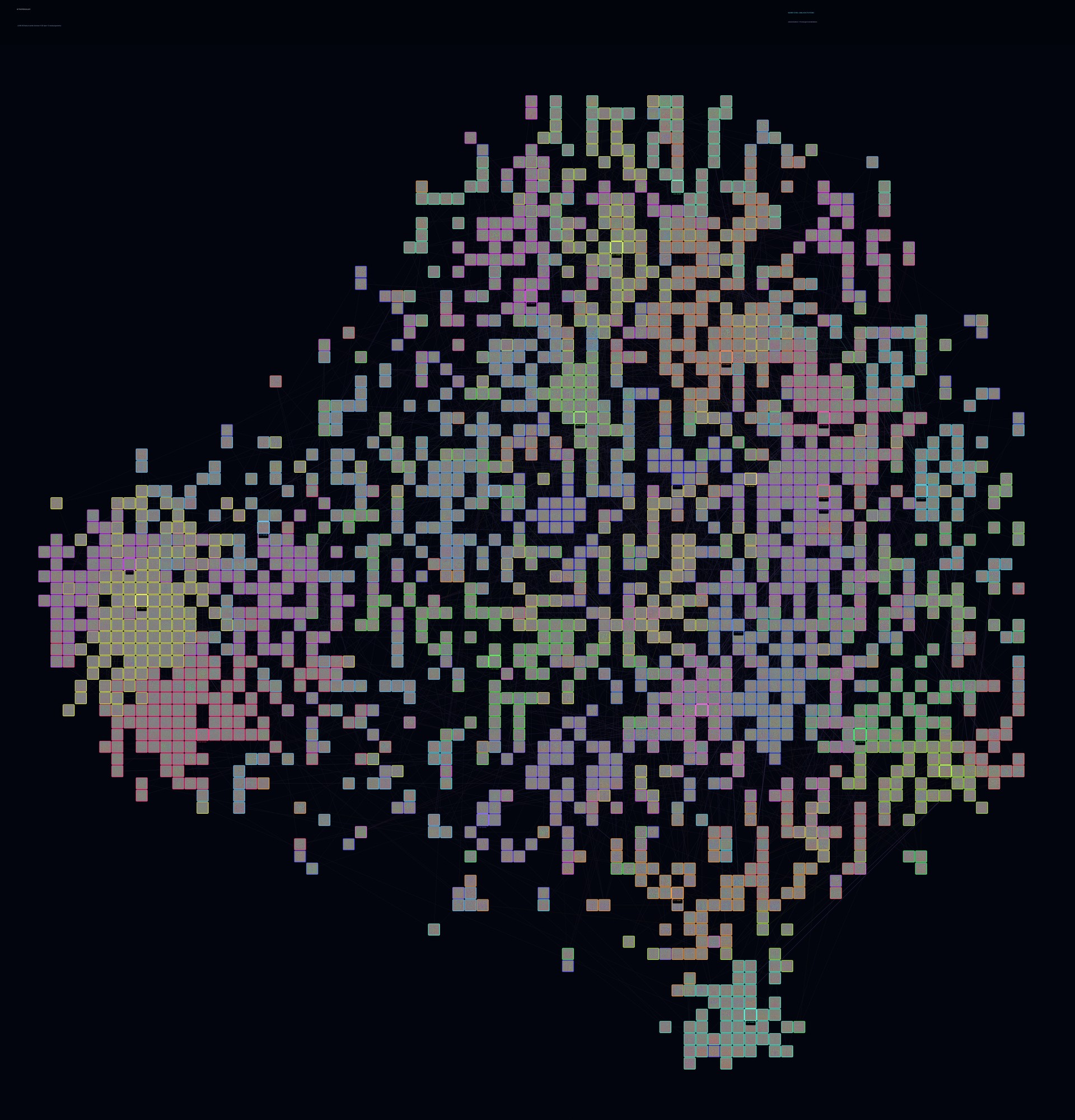
Features become stars
Each layer contains 2,048 synthetic feature visualizations. Hover a star to see its full 768 × 768 image; search directly by feature ID or source rank.
Gemma 4 12B · SAE feature atlas
A navigable map of the visual features learned inside a language model. Travel through fourteen layers, inspect individual feature worlds, and connect synthetic visualizations to the natural images that activate them.
What you are seeing
Every square is one sparse-autoencoder feature. Its position comes from the model's residual-stream response signature rather than the pixels in its generated image, revealing neighborhoods in the model's own internal geometry.
Each layer contains 2,048 synthetic feature visualizations. Hover a star to see its full 768 × 768 image; search directly by feature ID or source rank.
Nearby stars have similar residual signatures. Filaments connect nearest neighbors, while border colors distinguish emergent activation communities.
Pin any feature to inspect its strongest natural-image activators, spatial heatmaps, firing statistics, counterexamples, and cross-layer lineage candidates.
Start anywhere. Every layer contains the same number of features, independently arranged by that layer's measured residual signatures.
Inside the explorer
The explorer is built for both wandering and targeted investigation. Start with a cluster that catches your eye or jump directly to a known feature.
Start at layer 1Drag to pan, scroll to zoom, and use the arrow keys to move between layers. Press 0 whenever you want to reset the view.
Hover any star for its full-resolution synthetic image. Double-click to open that image on its own.
Open the evidence panel to see what activates the feature, where it responds, how frequently it fires, and which features may continue it across layers.
Sort all 2,048 features in a layer by activation strength or firing behavior, then jump straight to any result.
How to interpret it
Activation Galaxy makes internal structure inspectable, but the visualizations and labels are evidence—not definitive names for what a feature “means.”
t-SNE is designed to preserve nearby relationships. Two adjacent stars are meaningful neighbors; distances between far-apart regions should not be read as a calibrated global scale.
A single SAE feature can respond to several related—or occasionally surprising—patterns. Synthetic images reveal what drives activation, while natural examples show how that feature behaves on real inputs.
Caption hints summarize the strongest natural activators. They help locate themes, but they are not semantic ground truth and should be checked against images, heatmaps, and firing statistics.
Ready to explore
Choose a layer, find a constellation, and follow the evidence behind any feature that catches your eye.
Launch Activation Galaxy